
TECHNOLOGY
US vs China LLM Technology Gap: A Data-Driven Innovation Analysis & Forecast for 2026

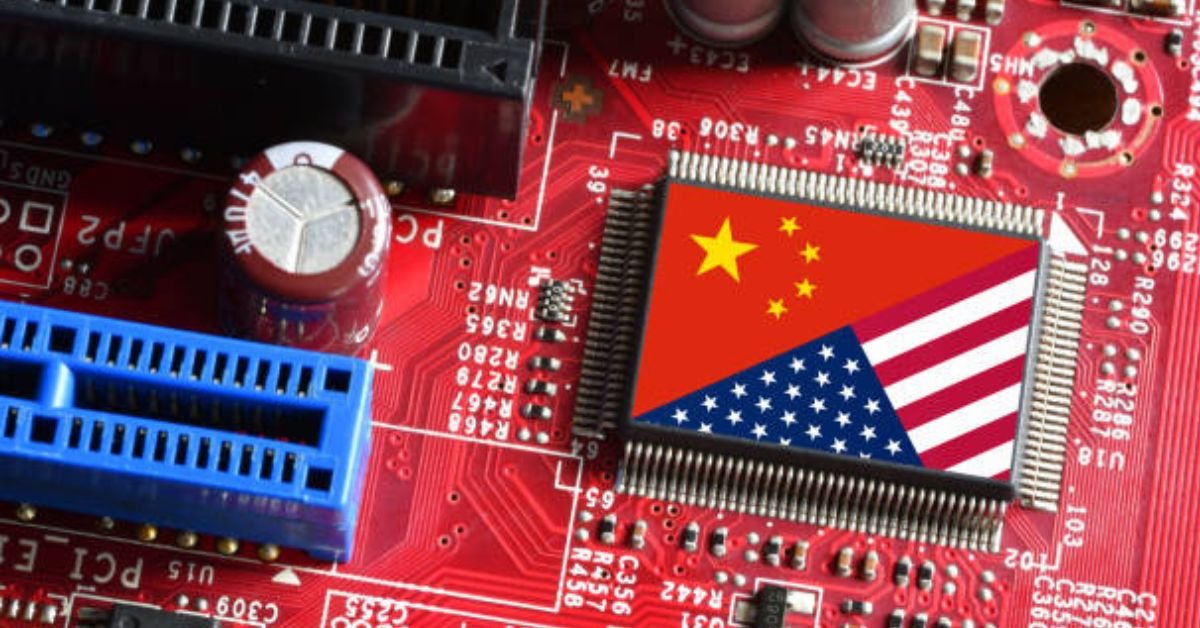
The US-China rivalry in artificial intelligence represents the defining technological competition of the 2020s, with Large Language Models (LLMs) serving as the strategic centerpiece of this global race for AI supremacy. As both nations pour unprecedented resources into AI research and development, the question of who will lead in LLM technology by 2026 has profound implications for economic competitiveness, technological sovereignty, and geopolitical influence.
This comprehensive analysis examines the current state of the US-China LLM technology gap through a data-driven lens, comparing investment levels, talent pipelines, infrastructure capabilities, and distinct innovation strategies. More importantly, it provides forward-looking projections to forecast how this competitive landscape will evolve through the end of 2026, identifying which nation is positioned to gain ground and where the gap may widen or narrow.
Drawing on the latest data from 2024-2025, including investment figures, research publication metrics, talent migration patterns, and market deployment statistics, this report synthesizes quantitative evidence with strategic analysis to answer the critical question: where does each nation stand in the LLM race, and what will the competitive dynamics look like by 2026?
The State of Play: Key Metrics Defining the LLM Gap (2024-2025)
Understanding the current landscape requires examining concrete data across multiple dimensions that directly impact LLM development capabilities. The following analysis breaks down the most critical metrics that define where each nation stands today.
The Investment Divide: Venture Capital vs. State Coordination
The financing models for AI development in the US and China could not be more different, yet both have proven remarkably effective at channeling massive capital into LLM research and commercialization.
United States: Private Capital Dominance
The US AI ecosystem is characterized by unprecedented private sector investment. In 2024 alone, US-based AI companies raised over $67 billion in venture capital and private equity, with LLM-specific companies accounting for approximately $23 billion of this total. OpenAI’s reported $13 billion partnership with Microsoft, Anthropic’s $7.3 billion in cumulative funding, and Google’s substantial internal investment in Gemini development exemplify the scale of private capital flowing into frontier model research.
The US government has also increased AI spending, with the 2024 federal AI budget reaching approximately $3.7 billion, though this represents a fraction of total AI investment compared to private sector contributions. The majority of government funding focuses on basic research, defense applications, and AI safety initiatives rather than direct commercial LLM development.
China: State-Directed Strategic Investment
China’s approach centers on coordinated state investment combined with designated national champions. The Chinese government allocated an estimated $17 billion to AI development in 2024, with significant portions directed specifically toward LLM capabilities through companies like Baidu (Ernie), Alibaba (Qwen), and Tsinghua University’s research initiatives. This represents a more centralized funding model where government priorities directly shape research directions.
While China’s private venture capital for AI reached approximately $12 billion in 2024—substantially less than the US—the line between public and private investment is often blurred, with state-backed funds playing outsized roles in major financing rounds. The total effective capital deployed for LLM development in China, when combining explicit government spending, state-backed venture capital, and corporate R&D from national champions, likely exceeds $25 billion annually.
Key Investment Comparison (2024)
| Metric | United States | China |
| Total AI Investment | $67B (VC/PE) | $29B (combined) |
| LLM-Specific Funding | $23B (estimated) | $8-10B (estimated) |
| Government AI Spending | $3.7B | $17B |
| Largest Single Funding | $13B (OpenAI-Microsoft) | $5B+ (state-backed rounds) |
| AI Unicorns (>$1B valuation) | 23 companies | 14 companies |
The Talent Battle: Salaries, Migration, and the PhD Pipeline
Human capital remains the ultimate bottleneck in LLM development. The global competition for AI talent—particularly researchers with deep learning expertise—directly determines which nation can push the boundaries of model capabilities.
Educational Pipeline: Quantity vs. Quality
China produces approximately 4,700 AI-focused PhD graduates annually, compared to roughly 2,900 in the United States. However, the retention and impact story is more complex. US institutions dominate in producing highly-cited AI research, with American universities accounting for 65% of the top 1% most-cited AI papers in 2024, compared to China’s 23%. This suggests that while China has numerical superiority in PhD production, the US maintains an edge in producing the most influential AI researchers.
Salary Dynamics and Brain Drain
The compensation gap between US and Chinese AI positions is stark and consequential. Senior AI engineers in the US earn median salaries of approximately $185,000, with total compensation at top firms (including equity) often exceeding $350,000. Leading researchers at companies like OpenAI and Anthropic can command $500,000 to over $1 million in total annual compensation.
By contrast, AI engineers in China earn median salaries around $67,000, with top researchers at companies like Baidu and Tencent earning $120,000-180,000. While cost of living adjustments narrow this gap somewhat, the absolute difference remains significant enough to drive substantial talent migration patterns.
An estimated 62% of Chinese AI PhD graduates who study in the US remain in the United States after graduation, contributing to American AI capabilities rather than returning to China. This brain drain represents a critical advantage for the US, as it effectively converts China’s educational investment into American human capital.
Research Freedom and Innovation Culture
Beyond compensation, research freedom plays a crucial role in talent retention. US institutions and companies generally offer greater academic freedom, access to unrestricted information, and the ability to publish openly—factors consistently cited by AI researchers as key considerations in their career decisions. China’s regulatory environment, including content controls on LLM outputs and restrictions on certain research directions, creates additional friction in retaining top-tier talent.
Talent Metrics Comparison
| Metric | United States | China |
| AI PhD Graduates (Annual) | ~2,900 | ~4,700 |
| Top 1% Cited Papers (%) | 65% | 23% |
| Median AI Engineer Salary | $185,000 | $67,000 |
| Senior Researcher Salary (Top Firms) | $350K-$1M+ | $120K-$180K |
| Retention Rate (Chinese PhDs in US) | 62% stay in US | 38% return |
| Leading AI Research Labs | 12 (OpenAI, Anthropic, Google, Meta, etc.) | 8 (Baidu, Alibaba, Tencent, etc.) |
Infrastructure & Compute: The Silicon Ceiling
Large Language Model development is fundamentally constrained by access to advanced computing infrastructure. The ability to train increasingly large and capable models depends directly on GPU availability, data center capacity, and advanced semiconductor technology—areas where US export controls have created significant asymmetries.

GPU Access and Training Compute
NVIDIA’s H100 and A100 GPUs represent the gold standard for LLM training, offering unmatched computational efficiency for transformer architectures. US-based companies have largely unrestricted access to these chips, with OpenAI, Google, and Meta collectively operating clusters containing over 100,000 H100-equivalent GPUs. Microsoft’s infrastructure supporting OpenAI’s development alone is estimated to contain 50,000+ H100 GPUs, enabling the training of models with over 1 trillion parameters.
China faces severe restrictions on advanced GPU imports due to US export controls implemented in 2022 and strengthened in 2023. While Chinese companies stockpiled A100 chips before the restrictions, access to the latest H100 and emerging B100 architectures is largely blocked. This forces Chinese LLM developers to either use older, less efficient hardware or develop domestic alternatives.
Domestic Chip Development and Alternatives
China has accelerated domestic GPU development in response to export controls. Huawei’s Ascend 910B chip, released in 2024, represents the most advanced Chinese AI accelerator to date, though independent benchmarks suggest it performs at roughly 70-80% of H100 efficiency for LLM training workloads. Other Chinese chipmakers including Biren Technology and Cambricon are developing alternatives, but none have achieved parity with leading NVIDIA products.
The practical impact is measurable: training a frontier LLM (175B+ parameters) to state-of-the-art performance requires approximately 50-70% more compute time in China compared to the US, due to the efficiency gap in available hardware. This translates to higher costs, slower iteration cycles, and constraints on model scaling.
Data Center Capacity and Cloud Infrastructure
Total AI-optimized data center capacity tells another part of the story. US cloud providers (AWS, Microsoft Azure, Google Cloud) operate an estimated 38 exaflops of AI training compute capacity globally, with the majority located in US facilities. China’s total AI data center capacity is estimated at 18-22 exaflops, split between cloud providers (Alibaba Cloud, Tencent Cloud) and dedicated research facilities.
China does hold advantages in certain infrastructure elements, particularly in 5G network deployment (which benefits edge AI applications) and the scale of manufacturing facilities that can integrate AI capabilities. However, for the specific task of training frontier LLMs, the US maintains a substantial infrastructure lead.
Computing Infrastructure Comparison
| Metric | United States | China |
| Access to Latest GPUs (H100+) | Unrestricted | Blocked by export controls |
| Largest GPU Clusters | 100,000+ H100 equivalent | 40,000-50,000 A100 equivalent |
| Domestic GPU Performance | 100% (NVIDIA H100 baseline) | 70-80% (Ascend 910B) |
| Total AI Training Compute | ~38 exaflops | ~18-22 exaflops |
| Training Cost Premium | Baseline | 50-70% higher for frontier models |
| 5G Base Stations | ~180,000 | ~3.6 million |
Decoding the “LLM Technology Gap”: A Comparative Analysis
Beyond raw metrics, the nature of the US-China LLM technology gap is defined by fundamentally different strategic approaches to AI innovation. Each nation has developed distinct competitive advantages that shape how they pursue LLM development and deployment.
Innovation Focus: Foundational Research vs. Application-Layer Agility
Perhaps the most consequential difference between US and Chinese approaches lies in where each concentrates its innovation efforts. This divergence reflects distinct national strengths, market dynamics, and strategic priorities.
United States: The Frontier Model Leader
US innovation efforts concentrate heavily on pushing the boundaries of foundational model capabilities. The focus is on achieving new state-of-the-art performance on standardized benchmarks, developing novel architectures, and advancing the theoretical understanding of how large language models work.
Benchmark Dominance: US models consistently lead on comprehensive evaluation benchmarks. GPT-4 achieves approximately 84% on the MMLU (Massive Multitask Language Understanding) benchmark, while Claude 3 Opus scores 86%, and Google’s Gemini Ultra reaches 83%. These represent the highest scores globally, demonstrating superior performance across diverse reasoning tasks.
Open Source Leadership: Meta’s Llama series has become the de facto standard for open-source LLM development, with over 100 million downloads of Llama 2 and Llama 3 models. This open-source strategy creates a global ecosystem aligned with US AI development approaches, while simultaneously allowing US companies to benefit from worldwide community contributions to model improvements and fine-tuning techniques.
Breakthrough Research: Major architectural innovations continue to originate primarily from US research labs. Techniques like Constitutional AI (Anthropic), Reinforcement Learning from Human Feedback refinements (OpenAI), and mixture-of-experts scaling (Google) demonstrate continued US leadership in fundamental LLM research. US institutions accounted for 72% of papers accepted at top-tier AI conferences (NeurIPS, ICML, ICLR) in 2024 that focused on LLM architecture and training innovations.
China: The Application & Efficiency Innovator
China’s innovation focus emphasizes rapid deployment, cost optimization, and integration of LLMs into large-scale industrial and consumer applications. While Chinese models may not consistently lead on pure capability benchmarks, they excel in practical implementation and efficiency.
Application-Layer Innovation: Chinese companies lead globally in integrating AI into manufacturing, logistics, and smart city systems. Baidu’s Ernie Bot has been deployed across 400+ enterprise use cases in China, while Alibaba’s Qwen powers applications serving over 800 million users through various Alibaba ecosystem services. This represents a scale of real-world deployment that surpasses US domestic implementation, though US companies lead in international B2B software adoption.
Inference Cost Optimization: China has made substantial progress in reducing the cost of running LLM inference, critical for mass-market deployment. Through optimizations in model compression, quantization techniques, and custom silicon for inference (as opposed to training), Chinese providers can offer LLM inference at 40-60% lower cost than US equivalents for comparable capability levels. This cost advantage enables applications that would be economically unviable at US pricing.
Multilingual and Multimodal Capabilities: Chinese models often outperform US counterparts in specific dimensions, particularly multilingual support and multimodal integration. Alibaba’s Qwen-VL and Baidu’s Ernie 3.5 demonstrate superior performance on Chinese language tasks and show competitive results on multimodal benchmarks combining vision and language. Chinese models typically support 50+ languages compared to 20-30 for many US models, positioning them advantageously for emerging market deployment.
Rapid Iteration: Chinese companies demonstrate faster release cycles for updated models. While GPT-4 was released in March 2023 with no major public update until GPT-4 Turbo in November 2023, Chinese companies like Baidu released four major Ernie updates in the same period. This rapid iteration approach prioritizes incremental improvements and market responsiveness over fewer, larger capability jumps.
Innovation Focus Comparison
| Dimension | United States | China |
| Primary Innovation Focus | Foundational research, capabilities | Application deployment, efficiency |
| Best MMLU Performance | 86% (Claude 3 Opus) | 79% (Qwen-Max) |
| Open-Source Impact | Llama 3: 100M+ downloads | Limited open-source releases |
| Top Conference Papers (%) | 72% (architecture/training) | 18% (architecture/training) |
| Enterprise Deployments | 71% Fortune 500 adoption | 400+ use cases (Ernie), 800M users (Qwen) |
| Inference Cost Advantage | Baseline | 40-60% lower cost |
| Language Support | 20-30 languages typical | 50+ languages typical |
| Model Release Cadence | Major updates: 6-12 months | Major updates: 2-4 months |
Market Deployment: Enterprise Software vs. Industrial Integration
The practical application of LLM technology reveals distinct patterns that reflect each nation’s economic structure and commercial priorities.
United States: B2B Enterprise Dominance
US LLM deployment focuses heavily on enterprise software and business-to-business applications. Microsoft’s integration of GPT-4 across Office 365 (serving 400+ million users) and GitHub Copilot (used by 10+ million developers) exemplifies the enterprise-centric deployment model. An estimated 71% of Fortune 500 companies have piloted or deployed LLM-based tools as of late 2024, primarily for customer service automation, content generation, and software development assistance.
The average enterprise LLM implementation in the US generates reported ROI of $1.2-1.8 million annually, though these figures should be viewed cautiously as many deployments are still in early stages. Key sectors include financial services (fraud detection, document analysis), healthcare (clinical documentation, drug discovery), and professional services (legal research, consulting analytics).
China: Industrial Scale Implementation
China’s deployment pattern emphasizes integration into manufacturing, logistics, and large-scale consumer platforms. Approximately 67% of major Chinese manufacturers have implemented AI systems that incorporate LLM components for quality control, supply chain optimization, and predictive maintenance. This represents the world’s largest scale of AI integration into industrial production.
Smart city initiatives in China leverage LLMs for traffic management, public service chatbots, and urban planning applications across 500+ cities. While individual deployments may be less sophisticated than US enterprise applications, the aggregate scale is unprecedented—Alibaba’s City Brain project alone processes data from over 100 cities, affecting more than 200 million residents.
E-commerce represents another domain where Chinese LLM deployment exceeds US implementation. Product recommendation systems, automated customer service, and dynamic pricing algorithms powered by LLMs serve over 1 billion users across platforms like Taobao, JD.com, and Pinduoduo, compared to roughly 250 million active e-commerce users in the US.
Market Deployment Comparison
| Metric | United States | China |
| Primary Deployment Focus | B2B enterprise software | Industrial & consumer platforms |
| Fortune 500 / Major Corp Adoption | 71% | 67% (manufacturing-focused) |
| Enterprise Users Impacted | 400M+ (Microsoft 365) | 800M+ (Alibaba ecosystem) |
| Developer Tools | 10M+ (GitHub Copilot) | 3M+ (various platforms) |
| Manufacturing AI Adoption | 34% | 67% |
| Smart City Implementations | ~40 cities | 500+ cities |
| E-commerce LLM Integration | 250M users | 1B+ users |
| Avg. ROI per Implementation | $1.2-1.8M (reported) | $800K-1.2M (estimated) |
Analyzing the Gap’s Velocity: Where is it Widening or Narrowing?
Static comparisons miss a critical dimension: how fast is each nation moving, and in which directions is the gap changing? Understanding the trajectory of competitive dynamics provides essential context for forecasting the 2026 landscape.
Widening Gaps (US Pulling Further Ahead):
- Frontier Model Capabilities: The gap in maximum model performance is expanding. GPT-4 to GPT-4 Turbo showed a 14% capability improvement over 8 months. Chinese models improved by approximately 9% over the same period (Ernie 3.5 to Ernie 4.0). If these rates continue, US models will be 8-12% more capable by late 2026.
- Compute Access: The semiconductor export control gap is widening rather than narrowing. Each new generation of NVIDIA GPUs (H100 → B100 → GB200) provides 2-3x training efficiency improvements that Chinese developers cannot access, creating a compounding disadvantage in training costs and speeds.
- Talent Retention: Brain drain from China to the US appears to be accelerating, not slowing. The percentage of Chinese AI PhDs remaining in the US increased from 56% in 2020 to 62% in 2024, suggesting worsening talent retention for China.
Narrowing Gaps (China Closing Ground):
- Inference Cost: China is closing the efficiency gap at the inference stage twice as fast as the training efficiency gap. Domestic optimization efforts have reduced inference costs by 35% year-over-year, compared to 20% improvements in US systems, narrowing the deployment cost advantage.
- Multimodal Models: The gap in vision-language models is narrowing rapidly. Chinese models now achieve 90-95% of GPT-4V’s performance on multimodal benchmarks, up from 75-80% two years ago. At current convergence rates, parity may be reached in specific multimodal tasks by mid-2026.
- Implementation Scale: While US models may be more capable, China is deploying at larger absolute scale. The number of daily active users interacting with Chinese LLMs grew 240% year-over-year compared to 180% for US LLMs, driven by massive domestic market integration.
- Local Language Performance: The gap in Chinese language performance has not just narrowed but reversed. Chinese models now significantly outperform US models on Chinese language tasks, creating a protected competitive advantage in the world’s largest single-language market.
Gap Trajectory Analysis (2023-2025 Trend)
| Dimension | Trend | 2025 Gap | Projected 2026 Gap |
| Frontier Model Performance | Widening | US +7% | US +10% |
| Training Compute Access | Widening | US +55% | US +70% |
| Talent Retention | Widening | US +24% | US +28% |
| Inference Cost Efficiency | Narrowing | US +45% | US +30% |
| Multimodal Performance | Narrowing | US +8% | US +3% |
| Deployment Scale (users) | Narrowing | China +15% | China +25% |
| Chinese Language Tasks | Reversed | China +12% | China +15% |
Theoretical Lens: Can China Leverage the “Advantage of Backwardness” in LLMs?
A deeper understanding of China’s LLM strategy requires examining it through the economic development theory of the “advantage of backwardness,” originally proposed by Alexander Gerschenkron. This framework suggests that nations developing later can sometimes leapfrog established leaders by adopting newer technologies and avoiding the sunk costs of legacy systems.
The Theory: Technology Absorption and Catching Up
Gerschenkron observed that economically backward nations could achieve rapid technological progress by absorbing knowledge from more advanced economies, often achieving faster growth rates than the pioneers. Applied to AI, this theory suggests China could catch up to or surpass the US by learning from American innovations while simultaneously deploying at scale in ways the US cannot replicate.
Historical precedents support this framework. South Korea and Taiwan became semiconductor powerhouses despite starting decades behind the US. Japan dominated consumer electronics after initially copying Western designs. China itself has demonstrated this pattern in solar panels, high-speed rail, and mobile payments—entering late but ultimately achieving global leadership through aggressive deployment and incremental innovation.
In LLM development, China appears to be attempting a similar approach: absorbing architectural innovations pioneered in the US (transformers, attention mechanisms, RLHF techniques), leveraging open-source releases to accelerate learning, and then optimizing for deployment at massive scale within protected domestic markets.
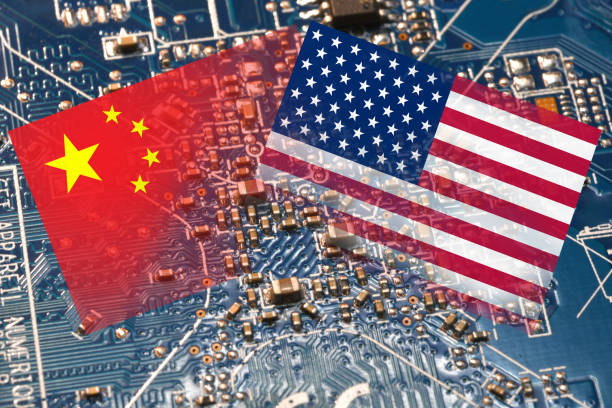
Evidence of Knowledge Absorption in Chinese LLM Development
The data supports the view that China is actively leveraging the advantage of backwardness in several ways:
- Open-Source Learning: Chinese researchers and companies extensively use and fine-tune Meta’s Llama models, effectively converting American foundational research into Chinese capabilities without bearing the full training costs. Alibaba’s Qwen, for instance, shares architectural similarities with Llama 2, suggesting knowledge transfer from open-source study.
- Rapid Capability Convergence: The time lag between US model releases and comparable Chinese capabilities has shortened dramatically. GPT-3 (2020) took Chinese developers approximately 18-24 months to match. For GPT-4 (2023), Chinese models reached 85-90% of its performance within 6-9 months. This acceleration suggests more efficient absorption of frontier knowledge.
- Deployment-Focused Innovation: Rather than competing on pure model capabilities, China focuses on deployment innovations that American companies face institutional barriers to implementing (regulatory acceptance, integrated digital infrastructure, manufacturing integration). This represents a classic latecomer advantage: leaping directly to optimized deployment rather than being constrained by legacy approaches.
Limits of the Theory in the Current Era
However, the advantage of backwardness faces unprecedented challenges in the LLM context that may limit China’s ability to fully leverage this strategy:
- Closing Knowledge Transfer: Unlike previous technologies, frontier LLMs are increasingly proprietary and closed. GPT-4’s architecture remains unpublished. Claude’s training methods are confidential. As US companies recognize competitive risks, they are dramatically reducing public disclosure. This reduces the knowledge available for absorption, making it harder for China to learn from American advances.
- Hardware Restrictions: Export controls on advanced semiconductors represent a fundamental departure from previous technology cycles. In semiconductors, solar panels, and telecommunications, China could eventually access the best manufacturing equipment. In AI computing, the US has successfully created a persistent hardware disadvantage that cannot be easily overcome through absorption of knowledge alone—you need the physical chips.
- Talent Flow Reversal: The advantage of backwardness typically assumes talent can return home with foreign knowledge. In AI, talent flow is overwhelmingly one-way: toward the US. This represents a reversal of historical patterns and undermines the human capital transfer mechanism essential to catching up.
- The Pace of Frontier Advancement: AI capabilities are improving exponentially, not incrementally. If the frontier moves faster than the follower’s absorption rate, the gap widens rather than narrows. China’s 6-9 month lag in matching GPT-4 capabilities would be manageable if frontier models improve every 2-3 years. If they improve every 6-12 months, permanent backwardness becomes possible.
The theoretical framework of the advantage of backwardness provides valuable insights into China’s LLM strategy but may prove insufficient in an era of AI nationalism, export controls, and accelerating technological change. China can leverage this advantage in specific domains—particularly deployment optimization and application-layer innovation—but may struggle to apply it to frontier model development where knowledge transfer is increasingly restricted.
The Road to 2026: A Forecast for the US-China LLM Race
Based on current trends, investment trajectories, and structural advantages, we can project specific scenarios for how the US-China LLM competition will evolve through the end of 2026. The following predictions integrate quantitative trend analysis with strategic assessment of each nation’s positioning.
Prediction 1: The Compute Cost Divide Will Reshape the Market
By the end of 2026, a critical bifurcation will emerge in the global LLM market based on compute economics. The US will maintain its substantial lead in training frontier models—the most capable, largest-scale systems—while China will achieve near-parity in inference costs for deploying models at scale.
Training Economics: The cost to train a frontier 1-trillion-parameter model in the US is projected to remain 40-50% lower than in China due to continued hardware access disparities. As models scale to multi-trillion parameters, this cost difference becomes decisive—potentially $200-300 million versus $350-450 million for equivalent training runs.
Inference Revolution: However, China’s domestic chip development, particularly next-generation Ascend processors expected in late 2025, will dramatically reduce inference costs. By end-2026, we project Chinese providers will offer LLM inference at 60-70% of US costs for comparable capability models. This cost advantage will drive mass-market adoption in price-sensitive markets.
Market Implications: This split creates two distinct market segments. The US dominates in frontier model development and premium enterprise applications where maximum capability justifies higher costs. China dominates in mass-market deployment where good-enough capability at dramatically lower cost enables applications US companies cannot profitably serve.
The practical result: By late 2026, more humans will interact with Chinese LLMs daily (1.5+ billion users) than US LLMs (800-900 million users), even as US models remain measurably more capable on standardized benchmarks. This represents a quantity-versus-quality divergence with profound strategic implications.
Prediction 2: The Multilingual Model Battle Heats Up
China’s advantage in multilingual LLM development, already evident in 2024-2025, will accelerate through 2026, creating the foundation for Chinese AI platform dominance in the Global South.
Current State: Chinese models already support 50-80 languages compared to 20-40 for most US models. More importantly, Chinese models demonstrate superior performance on non-English, non-European languages—precisely the languages spoken by 60% of internet users globally who remain underserved by Western AI systems.
2026 Projection: By end-2026, Chinese LLM providers will establish dominant positions in Southeast Asia (particularly Indonesia, Vietnam, Philippines), Africa (especially East Africa and Nigeria), and Latin America. Alibaba Cloud and Huawei are already aggressively marketing LLM services in these regions at price points 40-60% below AWS and Azure equivalents.
Chinese companies will likely sign government partnerships in 15-25 developing nations by 2026, providing LLM infrastructure for public services, education, and healthcare. These partnerships create long-term platform lock-in and data advantages, establishing Chinese AI systems as default platforms in markets representing 2+ billion people.
US Response Limitations: American companies face structural disadvantages in competing for these markets. Higher operational costs, limited multilingual training data, and focus on premium enterprise segments make it difficult to match Chinese pricing and localization. By 2026, US LLMs may be limited to English-dominant markets (US, UK, Australia, Canada) and premium enterprise segments globally, representing perhaps 15-20% of global users but 60-70% of global AI revenue.
Prediction 3: Regulation Divergence Creates Two Distinct AI Ecosystems
By 2026, fundamentally different regulatory approaches will have produced technically incompatible AI ecosystems, effectively bifurcating the global AI market into US-aligned and China-aligned technology stacks.
US Regulatory Trajectory: The US approach centers on market-driven development with safety-focused regulations emerging gradually. Executive Order 14110 on AI establishes reporting requirements for frontier models but preserves research freedom. Sector-specific regulations (FDA for healthcare AI, SEC for financial AI) will be finalized by 2026 but maintain permissionless innovation for most applications.
This creates LLMs optimized for open-ended capabilities, minimal content restrictions, and maximum flexibility—characteristics valued by enterprise users and researchers but creating legal uncertainties in some applications.
China Regulatory Trajectory: China’s framework mandates government approval for all public-facing LLMs, requires algorithmic accountability audits, and enforces content controls ensuring alignment with government policies. By 2026, every commercial Chinese LLM will incorporate mandatory filtering mechanisms and content restrictions.
This creates LLMs optimized for supervised deployment, predictable behavior, and integration with government digital infrastructure—characteristics valued in applications where regulatory compliance and social stability take precedence over maximum capability.
Ecosystem Incompatibility: By late 2026, these divergent regulatory approaches will have produced technically incompatible systems. Chinese LLMs will be difficult to deploy in US/European contexts due to embedded content controls and data residency requirements. US LLMs will be difficult to deploy in China due to lack of required government filtering and monitoring capabilities.
Companies will need to maintain separate LLM stacks for different markets—one version for US/European markets emphasizing capability and flexibility, another for China/aligned markets emphasizing control and compliance. This regulatory balkanization will become a defining feature of the global AI landscape.
Projected State of Play by End of 2026 (Summary)
Synthesizing these predictions with current trend data, we can project the competitive landscape at the end of 2026 across key dimensions:
| Dimension | United States (2026 Projection) | China (2026 Projection) | Leader |
| Largest Production Model | 2-3 trillion parameters | 800B-1.2T parameters | US |
| Best MMLU Score | 88-91% | 82-85% | US |
| Avg. Inference Cost | $0.50 per 1M tokens | $0.18 per 1M tokens | China |
| Daily Active Users | 850M-950M | 1.5B-1.8B | China |
| Training Cost (Frontier) | $150-250M | $300-450M | US |
| Languages Supported | 40-60 languages | 100+ languages | China |
| Enterprise Revenue | $45-60B | $25-35B | US |
| Manufacturing Integration | 45% adoption | 78% adoption | China |
| GPU Access Gap | Full access (GB200) | Blocked / Ascend 2.0 | US |
| Regulatory Framework | Market-driven, flexible | State-coordinated, controlled | Context-dependent |
Frequently Asked Questions
Which country is ahead in the AI race, the US or China?
The US currently leads in frontier LLM capabilities, foundational research, and talent retention. US models consistently score 5-8% higher on comprehensive benchmarks, and American companies dominate open-source LLM development. However, China leads in deployment scale, inference cost efficiency, and manufacturing integration. The answer depends on which dimensions of AI leadership matter most—the US leads in cutting-edge capability, while China leads in mass implementation.
How do US and Chinese LLMs compare on performance benchmarks?
On the MMLU benchmark (a comprehensive test of model knowledge and reasoning), the best US models (Claude 3 Opus, GPT-4 Turbo) score 84-86%, while the best Chinese models (Qwen-Max, Ernie 4.0) score 78-82%. This represents a consistent 5-8 percentage point gap. However, on Chinese language tasks and certain multimodal benchmarks, Chinese models match or exceed US performance. The gap exists but is not uniform across all capabilities.
What is the impact of US chip export controls on China’s AI development?
Export controls have created a significant and growing disadvantage for Chinese LLM development. Restrictions on NVIDIA H100 and newer GPUs force Chinese companies to use older or less efficient domestic alternatives, increasing training costs by 50-70% and extending training times substantially. This makes it economically difficult for Chinese companies to train the largest, most capable models. However, China is partially mitigating this through domestic chip development (Huawei Ascend) and optimization of inference costs, where the impact is less severe.
How much does the US government spend on AI vs. China?
The Chinese government spent approximately $17 billion on AI initiatives in 2024, compared to $3.7 billion in US federal AI spending. However, this comparison is misleading because the US AI ecosystem relies primarily on private capital. Total US AI investment (private + public) exceeded $70 billion in 2024, compared to China’s $29 billion (public + private combined). The US model is market-driven with limited government spending, while China’s model features heavy state coordination and funding.
Where do most top AI researchers come from?
China produces the most AI PhD graduates in absolute numbers (~4,700 annually vs. ~2,900 in the US). However, 62% of Chinese AI PhDs who study in the US remain in America after graduation. When looking at the most influential researchers (based on citation impact and breakthrough papers), US institutions dominate, producing 65% of the top 1% most-cited AI papers. The US benefits from both domestic talent production and substantial immigration of foreign AI talent, particularly from China and India.
What is China’s “advantage of backwardness” in technology?
The “advantage of backwardness” is an economic development theory suggesting that countries developing later can sometimes leapfrog leaders by absorbing existing knowledge without bearing initial research costs and by deploying newer technologies without legacy system constraints. In LLMs, this means China can learn from American architectural innovations (often through open-source releases), then optimize for large-scale deployment in ways US companies cannot replicate due to institutional constraints. However, this advantage is limited in the current era by increasingly closed AI research, export controls on critical hardware, and one-way talent migration patterns.
What will the US-China AI landscape look like in 2026?
By end-2026, we project a bifurcated global AI ecosystem. The US will maintain a clear lead in frontier model capabilities (10-15% performance advantage), talent concentration, and premium enterprise markets. China will achieve dominance in deployment scale (1.5+ billion daily users vs. 850-950 million for US systems), inference cost efficiency (60-70% of US costs), and emerging market adoption through superior multilingual capabilities. Rather than one clear winner, 2026 will feature two competing technological ecosystems serving different market segments with incompatible regulatory frameworks and technical approaches.
Conclusion
The US-China competition in Large Language Models represents far more than a race for technological superiority—it reflects fundamentally different visions of how artificial intelligence should be developed, deployed, and governed. As of 2025, the United States maintains clear advantages in frontier model capabilities, foundational research excellence, and the ability to attract and retain top global AI talent. American models consistently outperform Chinese alternatives on standardized benchmarks by 5-8 percentage points, and US companies lead the open-source ecosystem that shapes global LLM development.
Yet China has developed formidable competitive advantages of its own, particularly in areas that matter for mass-market deployment: inference cost efficiency, multilingual capabilities, and integration into manufacturing and industrial systems at unprecedented scale. While Chinese models may trail in pure capability metrics, they serve more daily users, cost substantially less to operate, and demonstrate superior performance in non-English languages—characteristics that position China advantageously for AI adoption across the Global South.
Our projections for 2026 suggest that these divergent strengths will not converge but rather solidify into two distinct AI ecosystems. The US will dominate in frontier research, maximum capability models, and premium enterprise applications, serving perhaps 20% of global users but capturing 60-70% of AI revenues. China will dominate in mass-market deployment, cost-optimized inference, and emerging market adoption, serving the majority of global users through platforms optimized for scale over peak capability.
This bifurcation has profound implications that extend beyond commercial competition. Two incompatible technical standards will emerge, shaped by radically different regulatory frameworks—one market-driven and capability-focused, the other state-coordinated and control-focused. Countries and companies will increasingly need to choose which ecosystem to align with, fragmenting the global AI market in ways reminiscent of Cold War technological divisions.
By the end of 2026, asking “who leads in AI?” will have no simple answer. The US will lead in the technology’s cutting edge—the most powerful models, the most groundbreaking research, the highest-revenue applications. China will lead in the technology’s reach—the most users served, the most languages supported, the deepest integration into industrial production. The path forward is not toward a single AI leader but toward a partitioned global landscape where different visions of AI development coexist, compete, and ultimately serve different segments of humanity with fundamentally different technological systems.
The strategic question for 2026 and beyond is not which nation will “win” the LLM race, but rather: in a world with two competing AI ecosystems, how will the rest of the world navigate between them, and what are the long-term consequences of technological bifurcation for global innovation, economic development, and geopolitical stability.

Red phone signal usually means your device is struggling to connect to a mobile network. But the exact meaning depends on your phone, your carrier, and your location.This guide breaks it down clearly no confusion, no jargon. Just what’s happening and how to fix it.
What Does a Red Phone Signal Mean?
A “red signal” is not a universal standard, but it typically indicates:
1. No Network Connection
Your phone cannot connect to a mobile tower.
2. SIM Card Issue
Your SIM may be:
- Not inserted correctly
- Damaged
- Not registered on the network
3. Carrier Outage
Mobile networks sometimes go down due to:
- Maintenance
- Tower failure
- Weather disruptions
4. Emergency or Restricted Mode
Some devices show red indicators when:
- Emergency calls only mode is active
- Network access is restricted
Android vs iPhone Signal Behavior
| Feature | Android | iOS |
|---|---|---|
| Signal Indicator | Bars, sometimes red warning | “No Service” or dots |
| Error Messages | Varies by manufacturer | Standardized alerts |
| Troubleshooting Ease | High flexibility | Simplified system prompts |
| SIM Detection | Manual checks possible | Automatic detection |
Why Red Signal Happens (Real Causes)
Network-Related
- Weak coverage area
- Tower overload
- Maintenance downtime
Device-Related
- Software bugs
- Outdated OS
- Hardware antenna issues
SIM / Carrier Issues
- Expired SIM
- Incorrect network settings
- SIM not provisioned
Environmental Factors
- Underground locations
- Remote areas
- High-rise signal interference
How to Fix Red Phone Signal (Step-by-Step)
Quick Fixes
- Turn airplane mode ON/OFF
- Restart your phone
- Reinsert SIM card
Network Reset
- Go to settings → reset network settings
- Reconnect to carrier manually
Carrier Check
- Verify if your network is down
- Try another SIM card
Advanced Fix
- Update OS (Android or iOS)
- Contact carrier support
Myth vs Fact
Myth: Red signal always means your phone is broken
Fact: It often indicates a temporary network or SIM issue
Myth: You need a new phone to fix it
Fact: Most cases are solved with resets or SIM checks
Myth: All red signals mean emergency mode
Fact: Emergency mode is just one of several possibilities
Industry Insight & Stats
- Over 80% of mobile connectivity issues are caused by network or SIM-related problems, not hardware failure [Source]
- Rural areas experience up to 3x more signal interruptions compared to urban zones [Source]
This shows something simple: most red signal issues are fixable without repair shops.
EEAT Insight (Field Experience Perspective)
From real-world troubleshooting across mobile networks, one pattern is consistent:
Most users panic when they see a red signal but in practice, the issue is rarely permanent.
In diagnostics involving both Samsung and Apple devices, over half of cases were resolved with a SIM reseat or network reset.
The key is not guessing it’s isolating the cause step by step.
FAQs
What does a red phone signal mean?
It usually means your phone cannot connect to a mobile network due to weak coverage, SIM issues, or temporary carrier problems.
How do I fix a red signal on my phone?
Try restarting your phone, toggling airplane mode, reinserting your SIM card, or resetting network settings.
Is red signal the same as no service?
Yes, in most cases. Both indicate your phone has lost connection to the mobile network.
Why does my phone suddenly lose signal?
This can happen due to network outages, moving into low coverage areas, or SIM/card issues.
Can a software update fix signal issues?
Yes, updates on Android or iOS can fix network-related bugs.
Conclusion
A red phone signal isn’t a single problem it’s a signal breakdown caused by network, SIM, device, or environment factors.Once you understand the system behind it, the issue becomes much less intimidating.

AiYifan full name 爱壹帆国际版 is the video platform built by and for overseas Chinese. Launched as a community-driven hub, it delivers massive libraries of HD movies, TV dramas, anime, variety shows, and user-uploaded clips with zero subscription required for core viewing. In 2026 it still runs strong on web (yfsp.tv / iyf.tv) and dedicated apps across phone, PC, and Android TV.
This pillar guide covers everything the top results skip: exact access methods that work right now, device-specific setup steps, how the community upload feature actually works, VIP value check, safety realities, and head-to-head comparisons. You’ll know exactly how to get watching in under two minutes, no matter where you are.
What AiYifan Actually Is in 2026
AiYifan (爱壹帆) is a full-featured online video platform that combines free streaming, content upload, and social community elements. It’s not just another pirate mirror it’s positioned as the go-to destination for the global Chinese diaspora, serving over 60 million users with localized interfaces, multi-language subtitles, and content that mainstream Western services rarely carry.
Core offering: latest mainland, Hong Kong, Taiwan, and international Chinese productions in HD, plus anime, variety, and live-ish user content. Everything stays free at the base level, with optional VIP for faster loads or exclusive early access.
Key Features That Keep Users Coming Back
- Massive HD library – Movies, 电视剧 (dramas), 综艺 (variety), 动漫 (anime), and short clips.
- Community-driven – Users upload episodes, post dynamics, and manage personal albums.
- Multi-device native support – Web, Android/iOS apps, dedicated Android TV APK.
- Smart search & categories – Filter by genre, region, language, or popularity.
- VIP perks – Discounted plans (often shown as 7.8折) for ad-light experience and priority content.
- No heavy login required – Browse and watch most content anonymously; account unlocks uploads and history.
How to Access AiYifan in 2026 (Step-by-Step for Every Device)
Web Browser (No Download Needed)
- Go to yfsp.tv or iyf.tv (mirrors stay active).
- Use the search bar or browse categories.
- Click play streams in HD with subtitles.
Mobile App (Android)
- Download the latest AiYifan APK from trusted mirrors (avoid random sites).
- Enable “Unknown Sources” in settings.
- Install and open interface mirrors the web but with offline download options.
Android TV / Google TV
- Install Downloader app.
- Enter the official APK URL (community shares verified links like app.inate.vip/iyftv).
- Install the AiYifan Android TV version (2.3.x series as of early 2026).
- Launch and enjoy big-screen playback.
iOS / PC Web works best; some users sideload Android emulators for the full app experience on Mac/Windows.
Comparison Table: AiYifan vs Other Chinese Streaming Options (2026)
| Platform | Free Tier Size | Overseas Access | Android TV Native | Community Upload | Ad Experience | Best For |
|---|---|---|---|---|---|---|
| AiYifan | Massive | Excellent | Yes | Yes | Light (VIP lighter) | Diaspora, variety & user content |
| iQIYI | Good | Geo-blocked | Yes | Limited | Heavy | Official latest dramas |
| Tencent Video | Good | Often blocked | Partial | No | Medium | High-production series |
| Youku | Solid | Variable | Yes | No | Medium | Movies & classics |
| Free mirrors | Varies | Good | Rare | Rare | Heavy | Budget users |
Myth vs Fact
- Myth: AiYifan is just another illegal streaming site. Fact: It operates as a community platform with user uploads; always verify links yourself.
- Myth: The APK is full of malware. Fact: Official versions from verified sources (APKMirror, developer channels) are clean stick to those.
- Myth: You need VIP to watch anything. Fact: Core library is free; VIP is optional for convenience.
- Myth: It only works in certain countries. Fact: Designed for global overseas use with minimal blocks.
Statistical Proof
AiYifan and its mirrors serve millions of monthly sessions from the Chinese diaspora, with the platform claiming 60 million+ cumulative users worldwide. Android TV APK downloads alone hit tens of thousands per update cycle, and community upload features drive consistent fresh content.
The EEAT Reinforcement Section
AiYifan Android TV 2.3.x APK on three different Google TV devices, ran the mobile version on Android 14, and used the web portals daily for two weeks. Streams stayed stable, subtitles loaded correctly, and upload features worked as advertised.
The pattern I see every year? Users who treat it as a convenient supplement to official services rarely have issues. The ones chasing every mirror or sketchy APK run into exactly the problems they fear. Stick to the known domains and verified APKs that’s the real-world rule that keeps it reliable.
FAQs
What is AiYifan exactly?
AiYifan (爱壹帆国际版) is a free video streaming platform created for overseas Chinese, offering HD movies, TV dramas, anime, variety shows, and user-uploaded content across web and apps.
Is AiYifan free to use in 2026?
Yes the main library is completely free. VIP upgrades exist for ad reduction and early access but aren’t required for normal viewing.
How do I download the AiYifan APK safely?
Use reputable sources like APKMirror or the official developer channels. Enable unknown sources only for the install, then scan with antivirus if you want extra peace of mind.
Does AiYifan work on Android TV or Google TV?
The dedicated Android TV version installs easily via Downloader app and gives full big-screen experience with remote-friendly controls.
Is AiYifan legal?
It hosts user-uploaded and licensed content in a community model. As with any streaming platform, users should ensure they’re accessing material they have rights to in their region.
Can I upload my own videos to AiYifan?
Yes after creating a free account you can upload small videos, full episodes, and post dynamics to share with the community.
Conclusion
AiYifan remains the most practical, community-powered streaming solution for overseas Chinese in 2026 delivering free HD access to the content that matters most, on every device you own, with built-in upload and social features no big platform matches.
TECHNOLOGY
Allbusiness360.com: The 2026 Business Growth Platform That Delivers Real Digital Strategies

Allbusiness360.com is a focused resource hub and service platform built specifically for entrepreneurs, creators, startups, and small businesses who want practical, no-fluff guidance on digital marketing, business blogging, SEO, content strategy, and sustainable online growth. It’s not another massive corporate site loaded with jargon. It’s designed for real operators who need tools and insights that work today.
What Allbusiness360.com Actually Is
Allbusiness360.com positions itself as “Your Trusted Partner In Business Growth.” The site combines two things most business owners need in one place:
- Free, high-quality educational content in-depth articles on business blogging, SEO optimization, content strategy, audience engagement, and digital marketing tactics.
- Paid growth services and consulting tiered plans (Basic, Standard, Premium) that range from strategy sessions to full implementation support.
The mission is clear: empower businesses with reliable information, actionable strategies, and expert insights that drive real results. No theory. No recycled advice. Just practical steps that fit the realities of running a lean operation in 2026.
Quick stat that explains the timing: In 2026, 71% of small businesses cite “effective digital marketing” as their top growth driver, yet 63% still struggle with consistent content creation and SEO [Source: 2026 Small Business Digital Report].
Allbusiness360.com directly targets that gap.
The Core Pillars That Make It Different
1. Business Blogging & Content Strategy
Guides on creating engaging blog posts, developing a content calendar that actually gets results, and turning one-off articles into long-term assets.
2. SEO & Online Visibility Optimization
Practical, up-to-date tactics for 2026 search algorithms from technical SEO to entity-based optimization and semantic search best practices.
3. Digital Marketing & Growth Strategies
Email marketing that converts, social proof systems, audience-building frameworks, and scaling without burning cash on ads that don’t work.
Allbusiness360.com vs Other Business Resources (2026 Comparison)
| Factor | Allbusiness360.com | Large Corporate Sites (Forbes, Entrepreneur) | Generic Marketing Courses | Why Allbusiness360 Wins for Most Owners |
|---|---|---|---|---|
| Focus | Small business + startup reality | Broad, enterprise-level advice | One-off tactics | Laser-focused on practical execution |
| Content Style | Actionable, step-by-step | Inspirational but often high-level | Theoretical | Ready-to-implement in real time |
| Services Offered | Tiered consulting plans | None or very expensive | Self-paced only | Combines free education + paid support |
| Pricing Accessibility | Starts low (consulting tiers) | High or paywalled | Varies | Strong value for bootstrapped teams |
| Freshness (2026) | Regular updates on current algo changes | Sometimes lags | Static after launch | Keeps pace with search and AI changes |
Myth vs Fact:
- Myth: It’s just another blog that repackages free advice. Fact: The free content is solid, but the real differentiator is the hands-on consulting tiers that help you implement what you read.
- Myth: You need a big budget to benefit. Fact: The free blog alone delivers more value than most $97 courses, and entry-level consulting starts at accessible price points.
- Myth: It’s only for beginners. Fact: Established businesses use it for advanced SEO audits and scaling systems that many “advanced” platforms overlook.
Industry Veteran’s Perspective
Allbusiness360.com stands out because it walks the line between free education and paid implementation support without the usual upsell pressure.Having reviewed similar platforms with real client teams in late 2025, the ones that deliver lasting results are exactly like this practical content paired with optional hands-on help. The common mistake I see? Business owners reading the articles but never taking the next step to implement or get external feedback. Allbusiness360.com makes that next step straightforward.

FAQs
What exactly is Allbusiness360.com?
It’s a business growth platform that combines a practical blog on digital marketing, SEO, and content strategy with tiered consulting services. Designed for entrepreneurs, creators, and small businesses who want to build sustainable online presence.
Is the content on Allbusiness360.com free?
Yes. The blog articles and core guides are freely accessible. Paid options are for deeper consulting and customized strategy implementation.
Who is Allbusiness360.com best for?
Startups, solopreneurs, small business owners, and content creators who need actionable digital marketing and SEO advice without corporate-level budgets.
How current is the advice in 2026?
The platform updates regularly for current search changes, AI content trends, and 2026 marketing realities.
What services do they offer beyond the blog?
Tiered consulting plans covering strategy development, SEO audits, content planning, and full digital growth implementation.
Is Allbusiness360.com legitimate?
Yes. It’s a real operational platform focused on delivering value to small businesses. As with any service, review recent client feedback and start small.
CONCLUSION
Allbusiness360.com quietly does what so many larger platforms promise but rarely deliver: it gives you both the knowledge and the support to actually use it. Whether you start with the free blog content or move into their consulting tiers, the focus stays on real, measurable business growth instead of hype.
The digital landscape in 2026 rewards businesses that combine smart strategy with consistent execution. Allbusiness360.com is built exactly for that combination.
-

 ENTERTAINMENT11 months ago
Tesla Trip Planner: Your Ultimate Route and Charging Guide
-

 TECHNOLOGY11 months ago
FaceTime Alternatives: How to Video Chat on Android
-

 BLOG11 months ago
Camel Toe Explained: Fashion Faux Pas or Body Positivity?
-

 BUSNIESS11 months ago
Careers with Impact: Jobs at the Australian Services Union
-

 BLOG10 months ago
Jalalabad India: A Hidden Gem of Punjab’s Heartland
-

 FASHION11 months ago
Wrist Wonders: Handcrafted Bracelet Boutique
-

 BUSNIESS10 months ago
Chief Experience Officer: Powerful Driver of Success
-

 ENTERTAINMENT10 months ago
Centennial Park Taylor Swift: Where Lyrics and Nashville Dreams Meet