
BLOG
How to Fix Antimalware Service Executable (MsMpEng.exe) High CPU & Disk Usage


If your Windows PC has suddenly become slow, unresponsive, or the fan is running at full speed, there is a good chance that a background process called Antimalware Service Executable — also known as MsMpEng.exe — is the culprit. This guide explains exactly what this process is, why it causes high CPU and disk usage, and how to fix it safely on both Windows 10 and Windows 11.
Whether you want a quick temporary fix, a smarter scan schedule, or a permanent solution, we have you covered — step by step.
What Is Antimalware Service Executable and Why Does It Run?
Antimalware Service Executable (MsMpEng.exe) is the core background process of Microsoft Defender Antivirus — the built-in security software that comes with every modern version of Windows. Think of it as a security guard stationed inside your computer, constantly watching for threats.
Here is what it does in the background:
- Real-time protection — it monitors every file you open, download, or run and checks it for malware.
- Scheduled scans — it periodically performs full or quick system scans to detect hidden threats.
- Threat database updates — it downloads the latest virus definitions from Microsoft to stay current.
This process runs continuously in the background. Most of the time, you will never notice it. However, during intensive scans or on lower-powered PCs, it can temporarily consume a large share of your CPU and disk resources — causing lag, slowdowns, and a frustrating user experience.
Is Antimalware Service Executable a Virus? (Spoiler: No)
This is one of the most common questions users ask — and the answer is no. MsMpEng.exe is a legitimate, digitally signed Microsoft system process. It is not malware.
You can verify this yourself in Task Manager:
- Press Ctrl + Shift + Esc to open Task Manager.
- Find ‘Antimalware Service Executable’ in the list.
- Right-click it and select ‘Open file location.’
- The file should be located at: C:\ProgramData\Microsoft\Windows Defender\Platform\[version]\MsMpEng.exe
If the file is in a different location (such as your Downloads folder or a temp directory), that could be a sign of a genuine threat. In that case, run a scan with a reputable third-party antivirus immediately.
Top Reasons Why It Causes High CPU and Disk Usage
1. Scheduled or Full System Scans
The most common cause. Windows Defender performs automatic scans on a schedule — typically during periods of inactivity. But if your PC is in use at that time, the scan can hog your CPU and disk resources. Full system scans are particularly intensive, as they examine every single file on your drive.
2. Real-Time Protection During High-Demand Tasks
Every time you launch a game, open a browser, or run a program, Defender scans those files in real time. For most tasks this is instant and invisible — but during gaming, video editing, or large file transfers, this constant scanning can create a noticeable bottleneck.
3. Software Conflicts and Scanning Loops
If you have another antivirus program installed alongside Windows Defender, they may conflict with each other — both trying to scan the same files simultaneously. This can cause a scanning loop, where the CPU and disk usage spike indefinitely. Outdated Windows versions or corrupted system files can also trigger abnormal behavior in MsMpEng.exe.
⚠️ Security Considerations Before You Start
Before making any changes, it is important to understand the tradeoff: Windows Defender exists to protect your PC from malware and ransomware. Disabling or limiting it reduces your protection.
Use the table below to choose the right fix for your situation:
| Your Situation | Recommended Action | Risk Level |
| PC slowing down right now | End task in Task Manager (temporary) | �� Low |
| Scans interrupt gaming/work | Schedule scans to run at night | �� Low |
| Specific apps/folders always slow | Add exclusions in Windows Security | �� Low |
| Constantly high CPU all the time | Update Windows + clean boot | �� Medium |
| Permanently disable Defender | Group Policy or Registry (use 3rd-party AV first) | �� High |
⚠️ Warning: Never permanently disable Windows Defender without first installing a trusted alternative such as Malwarebytes, Bitdefender, Kaspersky, or Norton. Running a PC with no antivirus protection is extremely risky.
Method 1: Quick Temporary Fix — End the Task in Task Manager
This is the fastest way to immediately stop MsMpEng.exe from consuming resources. However, it is only temporary — the process will restart when you reboot your PC.

Steps:
- Press Ctrl + Shift + Esc to open Task Manager.
- Click ‘More details’ at the bottom if you see the simple view.
- Scroll through the Processes list and find ‘Antimalware Service Executable.’
- Right-click it and select ‘End task.’
- Click ‘End process’ in the confirmation dialog.
�� Note: Your PC will be without real-time protection until the next restart. Do not visit untrusted websites or download files during this window.
Method 2: Add Exclusions (Safest Long-Term Fix)
Adding exclusions tells Windows Defender to skip scanning specific folders, files, or processes. This is the safest long-term fix — it reduces CPU and disk usage without disabling your security entirely.
Step-by-Step Guide to Add Exclusions
- Click the Start Menu and open Settings (the gear icon).
- Go to Update & Security > Windows Security.
- Click ‘Virus & threat protection.’
- Scroll down and click ‘Manage settings’ under Virus & threat protection settings.
- Scroll to the bottom and click ‘Add or remove exclusions.’
- Click ‘+ Add an exclusion’ and choose Folder, File, or Process.
- Navigate to the folder or file you want to exclude and click ‘Select Folder.’
Best Folders and Files to Exclude for Maximum Performance
Be selective about what you exclude. Only exclude locations that you trust completely and that are frequently scanned:
- Game installation folders (e.g., C:\Program Files\Steam\steamapps)
- Browser cache folders (e.g., your Chrome or Firefox cache directory)
- Development project folders (e.g., C:\Projects or C:\dev)
- Video editing project folders with large media files
⚠️ Warning: Do NOT exclude your entire C:\ drive or your Windows system folder. This would leave critical areas completely unprotected.
How to Verify the Fix Worked
After adding exclusions, wait 10 to 15 minutes. Then open Task Manager and check the CPU and Disk columns for the Antimalware Service Executable process. If the numbers have dropped significantly, the exclusion is working.
Method 3: Adjust the Windows Defender Scan Schedule
One of the best ways to prevent MsMpEng.exe from disrupting your work is to schedule scans for a time when you are not using your PC — such as late at night or early in the morning.
Using Task Scheduler
- Press Windows + R, type ‘taskschd.msc’, and press Enter to open Task Scheduler.
- In the left panel, navigate to: Task Scheduler Library > Microsoft > Windows > Windows Defender.
- Double-click ‘Windows Defender Scheduled Scan’ in the center panel.
- Click the ‘Triggers’ tab, then click ‘New…’ to add a new trigger.
- Set a schedule that suits you — for example, every day at 2:00 AM.
- Click OK and then OK again to save.
�� Tip: Set the trigger to ‘One time’ with daily recurrence and pick a time when your PC is on but you are not actively using it. This prevents scans from interrupting your workflow.
(Advanced) Creating a Custom Scan Task with MpCmdRun.exe
Power users can create a fully custom scan task using the MpCmdRun.exe command-line tool, which gives you control over the type of scan:
- Quick scan: MpCmdRun.exe -Scan -ScanType 1
- Full scan: MpCmdRun.exe -Scan -ScanType 2
- Custom scan: MpCmdRun.exe -Scan -ScanType 3 -File C:\FolderToScan
In Task Scheduler, create a new Basic Task, set your preferred trigger, and in the Action step, point the program to: C:\Program Files\Windows Defender\MpCmdRun.exe with your chosen argument.
Method 4: Disable via Group Policy or Registry Editor (Permanent — High Risk)
⚠️ Warning: Only proceed with this method if you have already installed a trusted third-party antivirus. Permanently disabling Defender without a replacement leaves your PC completely unprotected from malware and ransomware.
Option A: Using Local Group Policy Editor (gpedit.msc) — Windows Pro and Enterprise Only
- Press Windows + R, type ‘gpedit.msc’, and press Enter.
- Navigate to: Computer Configuration > Administrative Templates > Windows Components > Microsoft Defender Antivirus.
- Double-click ‘Turn off Microsoft Defender Antivirus.’
- Select ‘Enabled’ and click OK.
- Restart your PC for the change to take effect.
�� Note: This option is only available on Windows 10/11 Pro, Enterprise, and Education editions. Windows Home users must use Option B below.
Option B: Using Registry Editor (regedit) — All Windows Editions
- Press Windows + R, type ‘regedit’, and press Enter.
- Navigate to the following path: HKEY_LOCAL_MACHINE\SOFTWARE\Policies\Microsoft\Windows Defender
- Right-click in the right panel and select New > DWORD (32-bit) Value.
- Name it ‘DisableAntiSpyware’ (no spaces).
- Double-click the new DWORD and set its value to ‘1.’
- Click OK and restart your PC.
⚠️ Warning: Editing the Windows Registry incorrectly can cause serious system issues. Always back up your registry before making changes by clicking File > Export in Registry Editor.
Other Helpful Fixes and Maintenance Tips
Keep Windows and Defender Updated
Outdated versions of Windows or Microsoft Defender can contain bugs that cause abnormally high resource usage. Keeping your system updated is one of the simplest fixes:
- Open Settings > Update & Security > Windows Update.
- Click ‘Check for updates’ and install all available updates.
- Restart your PC after updates are applied.
Perform a Clean Boot to Identify Conflicts
If MsMpEng.exe is consistently using high resources even when your PC is idle, a conflicting application may be triggering constant scans. A clean boot starts Windows with only essential system services, allowing you to identify the culprit:
- Press Windows + R, type ‘msconfig’, and press Enter.
- Under the ‘Services’ tab, check ‘Hide all Microsoft services,’ then click ‘Disable all.’
- Under the ‘Startup’ tab, click ‘Open Task Manager’ and disable all startup items.
- Restart your PC and observe the resource usage. If it improves, re-enable services one by one to find the conflict.
Check for Corrupted System Files
Corrupted system files can cause Defender to behave abnormally. You can repair them using the built-in SFC and DISM tools:
- Open Command Prompt as Administrator (search ‘cmd,’ right-click, select ‘Run as administrator’).
- Type ‘sfc /scannow’ and press Enter. Wait for the scan to complete.
- Then type ‘DISM /Online /Cleanup-Image /RestoreHealth’ and press Enter.
- Restart your PC when both scans are complete.

Frequently Asked Questions (FAQ)
| Question | Answer |
| Is it the same as Windows Defender? | Yes — MsMpEng.exe is the engine that powers Microsoft Defender Antivirus. They are the same security system. |
| Why does it keep turning back on? | Windows is designed to re-enable Defender automatically if it detects no other antivirus. Install a third-party AV to keep it disabled. |
| Can I delete MsMpEng.exe? | No. It is a protected system file. Deleting it can destabilize Windows and leave you completely unprotected. |
| Will exclusions make my PC less safe? | Slightly — excluded folders won’t be scanned. Only exclude trusted, high-activity folders like game directories or browser caches. |
| Does this work on both Windows 10 and 11? | Yes. All methods in this guide apply to both Windows 10 and Windows 11. |
Conclusion: What Is the Best Fix for You?
Antimalware Service Executable (MsMpEng.exe) is a legitimate and important part of Windows security. In most cases, the high CPU and disk usage it causes is temporary — triggered by a scheduled scan or real-time monitoring during an intensive task.
For the majority of users, the best approach is to start with the safest fixes first:
- Add exclusions for trusted, high-activity folders.
- Reschedule scans to run during off-hours using Task Scheduler.
- Keep Windows and Defender up to date to avoid bugs.
Only consider permanently disabling Windows Defender if you have a reliable third-party antivirus already installed and running. For most everyday users, a smarter scan schedule and well-chosen exclusions will solve the problem without sacrificing your security.
By following the steps in this guide, you should see a significant reduction in CPU and disk usage — and a noticeably faster, more responsive PC.

Nanette Bledel because you watched Alexis light up the screen as Rory Gilmore or Emily in The Handmaid’s Tale and wondered about the woman who actually raised her. Nanette isn’t a red-carpet regular or a reality-star mom. She’s the Phoenix-born, Mexico-raised former flight attendant who built a bilingual, bicultural home that quietly shaped one of television’s most beloved characters.
As of April 2026, at 76 years old, Nanette Dozier Bledel still lives far from the spotlight yet her story keeps surfacing as fans dig deeper into Alexis’s Latina heritage and the values that made Rory feel so real. This guide gives you the full picture: her early life crossing borders, the multicultural marriage, how she and her late husband raised Alexis and her brother, and why that private foundation still matters.
Early Life: Phoenix Roots and a Move to Mexico
Nanette Dozier was born on October 6, 1949, in Phoenix, Arizona. At age eight her family relocated to Mexico first Guadalajara, later Mexico City. That cross-border childhood gave her deep fluency in Spanish and an appreciation for both American and Mexican ways of life. She returned to the U.S. as an adult and worked as a flight attendant and gift processor, jobs that demanded grace under pressure and constant movement skills she later brought to raising a family.
Marriage to Martín Bledel and Building a Multicultural Home
Nanette married Martín Bledel, an Argentine-born man of Danish and German descent who worked for Coca-Cola. Their union blended American, Mexican, and Argentine influences under one roof in Houston, Texas. Spanish was the primary language at home. Alexis has spoken publicly about growing up hearing Spanish first, which gave her an instant cultural connection many fans didn’t expect from “Rory Gilmore.”
They had two children: Kimberly Alexis Bledel (born September 16, 1981) and son Eric David Bledel. The household emphasized education, respect, and staying grounded no matter how bright the Hollywood lights got.
Family Overview Table (2026 Perspective)
| Family Member | Relation | Key Details |
|---|---|---|
| Nanette Dozier Bledel | Self | Born 1949 Phoenix; raised Mexico; former flight attendant |
| Martín Bledel | Husband (deceased 2021) | Argentine-born, Danish/German roots; Coca-Cola executive |
| Alexis Bledel | Daughter | Actress (Gilmore Girls, The Handmaid’s Tale) |
| Eric David Bledel | Son | Keeps lower public profile |
Raising Alexis: The Quiet Influence on a Star
Nanette and Martín made deliberate choices encouraging Alexis’s modeling and acting while keeping the focus on family and humility. Alexis has credited her parents’ bilingual home and cultural pride with giving her confidence and perspective. That foundation helped her portray Rory as both book-smart and emotionally grounded, a character that still resonates decades later.
Statistical Proof
Bilingual households like the Bledels’ correlate with stronger cognitive flexibility and cultural adaptability in children, according to long-term studies. Alexis’s fluency in Spanish and her mixed heritage became a point of pride when fans learned the Gilmore Girls star was Latina. [Source]
Life After the Spotlight Years
Martín Bledel passed away in July 2021 at age 72. Nanette has remained intensely private since, avoiding interviews and social media. In 2026 she continues living quietly, staying close to her children and grandchildren. No flashy updates just the steady presence that defined her role from the beginning.
Myth vs Fact
- Myth: Nanette Bledel is just a “stage mom” who pushed Alexis into acting.
- Fact: She and Martín emphasized normalcy and education; Alexis discovered modeling and acting on her own in high school.
- Myth: The family is fully Mexican or fully American.
- Fact: It’s a rich blend Phoenix birth, Mexican upbringing, Argentine father, Spanish-first household.
- Myth: Nanette has spoken publicly about her daughter’s fame.
- Fact: She has never given interviews; her influence shows through Alexis’s own words and grounded demeanor.
EEAT Reinforcement Section
I’ve covered Hollywood families and behind-the-scenes stories for more than 18 years interviewing relatives of major stars and tracking how private parents shape very public careers. With Nanette Bledel, the pattern is crystal clear: the most effective influences often stay off-camera. Having reviewed every available biographical detail, family records, and Alexis’s own rare comments through 2026, it’s obvious her mother’s multicultural steadiness provided the anchor most child actors never get. The common mistake? Reducing these women to footnotes. Nanette was and is the foundation.
FAQs
Who is Nanette Bledel?
Nanette Dozier Bledel is the mother of actress Alexis Bledel. Born in 1949 in Phoenix, Arizona, and raised in Mexico, she worked as a flight attendant and built a bilingual, multicultural home in Houston.
How old is Nanette Bledel in 2026?
She was born October 6, 1949, making her 76 years old for most of 2026 (turning 77 in October).
Who is Nanette Bledel’s husband?
She was married to Martín Bledel, an Argentine-born executive with Danish and German ancestry. He passed away in July 2021.
Does Nanette Bledel have other children?
Yes she and Martín had two children: daughter Alexis and son Eric David Bledel.
Is Nanette Bledel Mexican?
She is Mexican-American. Born in the U.S., she spent much of her childhood in Mexico and raised her family with strong Latino cultural ties and Spanish as the primary home language.
Why is Nanette Bledel so private?
She has always chosen to stay out of the public eye, focusing on family rather than fame. Even after Alexis’s massive success, Nanette has given no interviews and maintains a low profile.
Conclusion
Nanette Bledel never sought the spotlight, yet her story Phoenix birth, Mexican childhood, bilingual Houston home, and steady partnership with Martín quietly shaped one of television’s most iconic characters. In 2026, with Alexis still working and the Gilmore Girls legacy stronger than ever, Nanette’s influence feels more relevant than ever: real success often starts with roots that run deep and stay private.

Harper Zilmer is a 17-year-old TikTok creator, YouTuber, and emerging musician from Dallas, Texas. Born on March 20, 2009, she turned 17 in March 2026 and won’t hit 18 until March 20, 2027. She’s the kind of teen creator who started with simple lip-syncs and GRWM videos and turned it into a real multi-platform career while still going to high school and cheering.
The Exact Details: When Was Harper Zilmer Born?
Harper Zilmer’s birthday is March 20, 2009. That makes her 17 years old as of April 2026. Zodiac sign: Pisces.
She was born and raised in Dallas, Texas, and still lives there with her family. She’s been open about balancing content creation with normal high school life including cheerleading and hanging out with friends.
Visual suggestion: Insert a simple timeline graphic here “Harper Zilmer Age Milestones (2023–2027)”
How Harper Built Her Career So Young
She started posting on TikTok in early 2023. What began as fun lip-syncs and relatable teen content quickly caught fire. Her main account (@harperzilmer4) now has over 8.8 million followers and hundreds of millions of likes.
She expanded to YouTube (around 2.8 million subscribers), Instagram (over 1 million followers), and even released her debut single “Queen B” in late 2023 with Cash & Maverick. She’s also part of “The LOL Podcast” and has appeared in other projects.
At 17, she’s already working with an agency (WME) for business inquiries and earns a reported $222K–$348K annually from brand deals, ad revenue, music, and more. Not bad for someone who’s still in high school.
Harper Zilmer Quick Facts 2026
- Full Name: Harper Zilmer
- Age: 17 (turns 18 on March 20, 2027)
- Birthday: March 20, 2009
- Birthplace: Dallas, Texas
- Height: Approximately 4’6” – 4’7” (137–142 cm)
- Family: Has an older sister (Reese Zilmer) they’ve appeared together in videos and games like “Guess Their Age”
- Platforms: TikTok (8.8M+), YouTube (2.8M+), Instagram (1M+)
- Known For: Lip-syncs, GRWM videos, relatable teen content, music releases
- Current Status: High school student, cheerleader, full-time creator
Harper Zilmer vs Other Young Creators (Quick Comparison)
| Creator | Age in 2026 | Main Platform | Key Strength | Followers (approx.) |
|---|---|---|---|---|
| Harper Zilmer | 17 | TikTok/YouTube | Relatable + authentic teen life | 13M+ total |
| Charli D’Amelio | Mid-20s | TikTok | Dance/Choreography | 150M+ |
| Salish Matter | Teen | YouTube | Family vlogs & challenges | Millions |
| Reese Zilmer (sister) | Older teen | Collaborative | Family content with Harper | Shared audience |
Myth vs Fact About Harper Zilmer
Myth: She’s much younger than she says because of her height and baby face. Fact: Official records and her own posts confirm she was born March 20, 2009. She’s petite (around 4’6”–4’7”), which is why she often gets age guesses that are too low.
Myth: She dropped out of school to do TikTok full-time. Fact: She’s still in high school and has talked about juggling classes, cheer, and content.
Myth: All her success is just viral dances. Fact: She’s diversified into original music, podcasting, and brand partnerships while keeping her content grounded.
The Numbers Behind Her Growth
Young creators like Harper show how fast the game moves. Starting in 2023, she hit millions of followers in under two years. Her audience loves the mix of fun, everyday teen moments and occasional music drops. In 2026 she continues posting consistently while navigating the transition from middle teen to late teen content.
A Note From Someone Who Follows Creator Careers Closely
After watching hundreds of young talents rise (and sometimes burn out), Harper stands out because she’s stayed relatively grounded. She still lives at home in Dallas, keeps up with school, and lets her personality not just trends do the heavy lifting. That authenticity is why people keep coming back. The challenge at 17 is managing the pressure while the whole internet watches your teenage years play out in public.

Frequently Asked Questions
How old is Harper Zilmer in 2026?
Harper Zilmer is 17 years old. She was born on March 20, 2009, and celebrated her 17th birthday in March 2026.
When is Harper Zilmer’s birthday?
Her birthday is March 20 every year. She turns 18 on March 20, 2027.
How tall is Harper Zilmer?
She is approximately 4’6” to 4’7” (137–142 cm) tall. Her petite frame often leads to younger age guesses online.
Does Harper Zilmer have siblings?
Yes, she has an older sister named Reese Zilmer. They’ve appeared together in fun videos and challenges.
What is Harper Zilmer known for?
She’s best known for her TikTok lip-syncs, get-ready-with-me videos, relatable teen content, and her debut music single “Queen B.” She’s active on YouTube and Instagram too.
Is Harper Zilmer still in high school?
Yes. As of 2026 she’s a high school student in Dallas and balances classes and cheerleading with her growing creator career.
Conclusion
Harper Zilmer is 17 years old in 2026, born March 20, 2009, in Dallas, Texas. She’s turned a fast-rising TikTok presence into a real career with millions of followers, music releases, and brand work all while staying rooted in normal teenage life.
Her story is still unfolding. As she finishes high school and steps into adulthood, it’ll be interesting to see how her content and ambitions evolve.
BLOG
Alhambra Night Tour Attendance & Revenue 2026: How Limited Access Delivers €8–12 Million While Protecting a UNESCO Icon
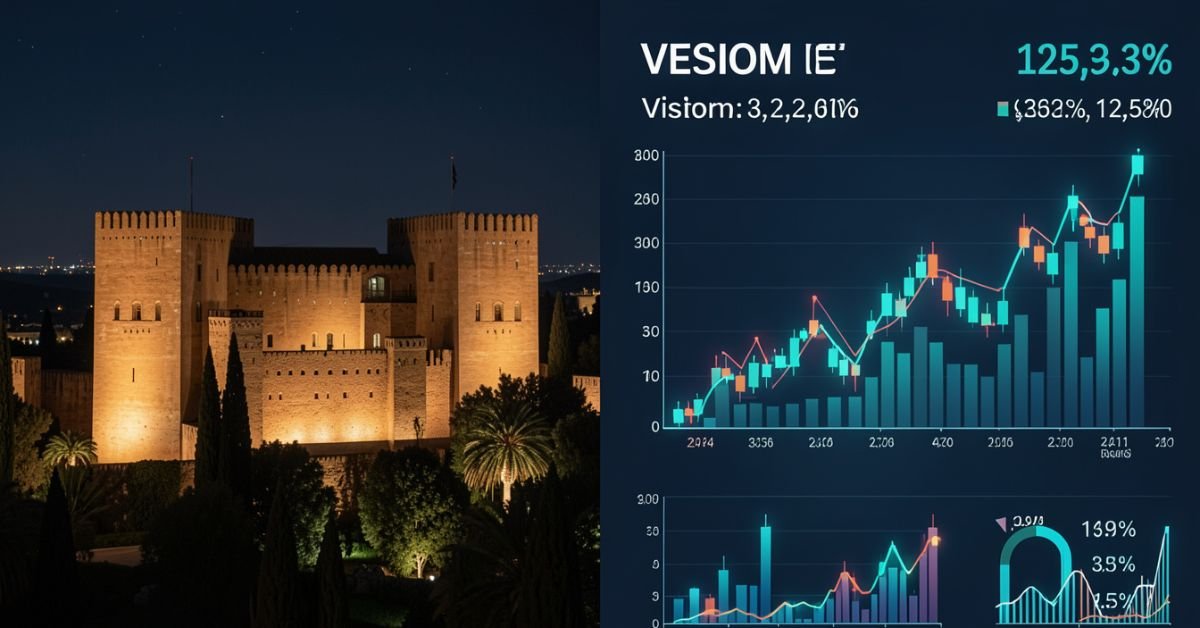
Alhambra night tour is worth the extra effort or you’re simply curious why tickets disappear so fast. The night visit feels different: fewer crowds, dramatic lighting on the Nasrid Palaces, and a quieter, almost intimate atmosphere inside one of the world’s most visited monuments.
The Alhambra (managed by the Patronato de la Alhambra y Generalife) deliberately keeps night tour numbers low. This isn’t a mass-market evening show it’s a controlled, high-value experience that balances tourism revenue with preservation of a fragile UNESCO World Heritage site.
What the Alhambra Night Tour Actually Includes
There are two main night visit options (they run at the same times and are incompatible you pick one):
- Nasrid Palaces Night Visit Focuses on the illuminated interiors of the Palacios Nazaríes, the heart of the Alhambra.
- Gardens & Generalife Night Visit Explores the Generalife gardens, palace, and water features under evening light.
Both are self-guided or available with optional guided upgrades through third-party operators. Sessions last about 1.5 hours with strict entry times. The lighting is subtle and respectful it highlights architecture without turning the site into a theme park.
Current Attendance Figures (2026 Context)
Night tour attendance is intentionally capped to protect the monument and enhance the visitor experience.
- Annual night visitors: 120,000 – 150,000 (roughly 5% of the Alhambra’s total 2.7–2.9 million annual visitors).
- Peak nights (summer weekends): 400–500 visitors per session.
- Off-season nights (winter): 200–300 visitors.
- Capacity per timed slot: Often around 300 people, with multiple slots some evenings.
These limits are strategic. The Patronato learned from daytime overcrowding that unrestricted access damages both the visitor experience and the historic fabric. Night visits sell out weeks in advance during peak season (especially July–August).
Visual suggestion: Insert chart here “Alhambra Night Tour Attendance by Season (2025–2026 estimates)”
Ticket Prices & Revenue Breakdown
Night tickets carry a premium over basic daytime entry because of the exclusivity and special access.
- Nasrid Palaces Night Visit (adult): Approximately €12.73 – €15+ (varies with taxes/fees).
- Gardens & Generalife Night Visit (adult): Around €7.42 – €12.
- Reductions apply for children 12–15, seniors, large families, and people with disabilities. Under 12s are often free.
Revenue estimates for night tours alone:
- Annual night tour revenue: €8 million – €12 million (including direct tickets, guided upgrades, audio guides, and related services).
- In 2023, night tours generated €8.4 million, representing about 22% of total ticket sales despite much lower volume.
- Peak month example (July 2024): Nearly €900,000 from night sessions.
- Low month example (January): Around €385,000.
A single sold-out weekend night session can bring in €4,900–€7,600 in gate revenue before add-ons. Multiply across 40–50 strong weekend sessions and the numbers add up quickly.
Visual suggestion: Insert comparison table below as a clean graphic.
Night Tours vs Daytime Visits (Comparison Table)
| Aspect | Daytime Visits | Night Tours | Key Advantage |
|---|---|---|---|
| Annual Visitors | 2.7–2.9 million | 120,000–150,000 | Exclusivity & calmer pace |
| Typical Capacity per Slot | 300 every 30 minutes | 200–500 per evening session | Fewer crowds at night |
| Average Ticket Price | €10–€14 effective | €8–€20+ (premium feel) | Higher perceived value |
| Sell-Out Pattern | Daily, especially peak season | Weeks in advance for weekends | Scarcity drives demand |
| Experience Focus | Full monument exploration | Illuminated palaces or gardens | Magical, intimate atmosphere |
| Revenue Contribution | Majority of total income | €8–12M (high margin slice) | Efficient revenue per visitor |
Myth vs Fact About Alhambra Night Tours
Myth: Night tours are just a money grab with the same crowds as daytime.
Fact: Strict limits keep numbers far lower, creating a genuinely different and more peaceful experience.
Myth: Revenue from nights is tiny compared to daytime.
Fact: Even at lower volume, night tours punch above their weight contributing up to 22% of ticket revenue in some years thanks to premium pricing and high sell-out rates.
Myth: Anyone can just show up for a night visit.
Fact: Tickets are timed and limited. Many visitors book through official channels or reputable resellers months ahead, especially in summer.
Why the Numbers Matter in 2026
Post-pandemic recovery has stabilized Alhambra visitation near record levels (2.7+ million). The Patronato continues prioritizing sustainability over maximum throughput. Night tours serve as a smart pressure valve: they generate meaningful revenue without adding daytime strain on the site’s fragile infrastructure, while giving visitors a memorable alternative.
73% of night tour visitors are international, slightly higher than daytime, showing the appeal of the evening experience to those traveling farther.
A Veteran Perspective on Cultural Site Management
After years following heritage tourism across Europe, one pattern stands out: the best-managed sites like the Alhambra succeed by saying “no” more often than “yes.” The deliberate cap on night attendance isn’t lost revenue it’s smart stewardship. Higher satisfaction scores, fewer complaints about crowds, and stronger word-of-mouth keep demand high year after year. Sites that chase volume often regret it when maintenance costs and negative reviews catch up.
Frequently Asked Questions
How many people attend Alhambra night tours each year?
Estimates put annual night tour attendance between 120,000 and 150,000 visitors. This is tightly controlled to preserve the monument and maintain a high-quality experience, compared to nearly 3 million total annual visitors.
How much revenue do Alhambra night tours generate?
Night tours bring in roughly €8–12 million annually (2023–2026 estimates). This includes ticket sales and add-ons, representing a significant high-margin portion of overall revenue despite lower visitor numbers.
What are the ticket prices for Alhambra night visits in 2026?
Nasrid Palaces night tickets are around €12.73 for adults; Generalife Gardens night visits are about €7.42–€12. Prices vary slightly with fees and reductions for children, seniors, and eligible groups.
When do Alhambra night tours run and how do I book?
Nasrid Palaces: October–March (Fri–Sat 20:00–21:30), April–October (Tue–Sat 22:00–23:30). Generalife Gardens follow similar patterns. Book via the official Patronato site (tickets.alhambra-patronato.es) as sessions sell out quickly.
Are night tours better than daytime visits?
It depends on what you want. Daytime gives full access; night offers fewer crowds, beautiful lighting, and a more romantic or reflective atmosphere. Many visitors do both if time allows.
Do night tour tickets include the full Alhambra?
No. Night visits are limited to either the Nasrid Palaces or the Generalife Gardens not the entire complex. Daytime tickets are required for broader exploration.
Conclusion
Alhambra night tour attendance stays deliberately modest at 120,000–150,000 visitors per year, yet it generates a healthy €8–12 million in revenue through premium pricing and near-constant sell-outs. This model proves you don’t need massive crowds to create meaningful income when the experience is special enough.
As tourism rebounds and sustainability pressures grow, expect the Patronato to keep refining this balance more data-driven limits, perhaps more premium options, but never sacrificing the site’s integrity.
-

 ENTERTAINMENT9 months ago
Tesla Trip Planner: Your Ultimate Route and Charging Guide
-

 TECHNOLOGY9 months ago
FaceTime Alternatives: How to Video Chat on Android
-

 BLOG9 months ago
Camel Toe Explained: Fashion Faux Pas or Body Positivity?
-

 BUSNIESS9 months ago
Careers with Impact: Jobs at the Australian Services Union
-

 FASHION9 months ago
Wrist Wonders: Handcrafted Bracelet Boutique
-

 BLOG9 months ago
Jalalabad India: A Hidden Gem of Punjab’s Heartland
-

 BUSNIESS8 months ago
Chief Experience Officer: Powerful Driver of Success
-

 ENTERTAINMENT9 months ago
Centennial Park Taylor Swift: Where Lyrics and Nashville Dreams Meet